

First start-up: the basic VFD parameters to set before you press RUN
Load type, control mode, command source, frequency source, frequency limits, carrier frequency and ramp times: the P0 group parameters that decide how a Hailing vector drive behaves.
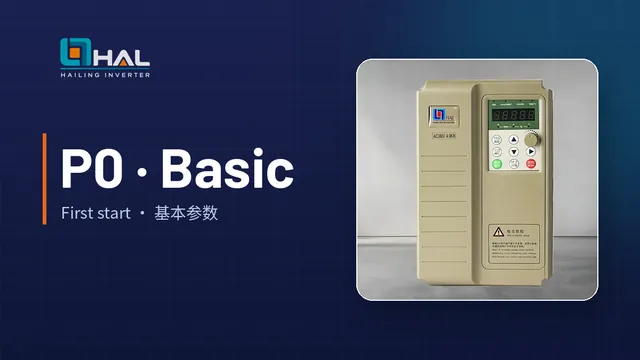
Most commissioning problems come from a handful of basic settings. On Hailing general vector drives these sit in the P0 (basic function) group. On some software versions the group is shown as F0; F and P0 are equivalent.
The P0 parameters to check first
| Parameter | Function | Options and notes |
|---|---|---|
| P0-00 | G/P type | 1: G type for constant-torque loads; 2: P type for fan and pump loads |
| P0-01 | Motor 1 control mode | 0: sensorless vector (SVC); 1: closed-loop vector with encoder (FVC); 2: V/F control |
| P0-02 | Command source | 0: operating panel; 1: terminals; 2: communication |
| P0-03 | Main frequency source | Digital setting (with or without memory at power loss), AI1, AI2, panel potentiometer, pulse input, multi-speed, simple PLC, PID or communication |
| P0-08 | Preset frequency | Default 50.00 Hz, used with digital setting |
| P0-10 | Maximum frequency | 50.00–500.00 Hz |
| P0-12 / P0-14 | Upper / lower frequency limit | Keep the machine within its safe speed range |
| P0-15 | Carrier frequency | 0.5–16.0 kHz; higher is quieter but produces more heat in the drive |
| P0-17 / P0-18 | Acceleration / deceleration time 1 | Default 20.00 s; unit set by P0-19 |
| P0-24 | Motor parameter set | 0: motor 1; 1: motor 2 |
A typical sequence
- Check the wiring and the supply voltage against the drive nameplate.
- Select G or P type to match the load (P0-00).
- Enter the motor nameplate data and run motor auto-tuning if vector control is used.
- Set the command source (P0-02) and the frequency source (P0-03).
- Set maximum and limit frequencies (P0-10, P0-12, P0-14).
- Set acceleration and deceleration times to suit the inertia of the load (P0-17, P0-18). Times that are too short cause overcurrent or overvoltage trips.
- Run at low frequency first and check direction, current and noise.
Password, saving and factory reset
- Setting PP-00 to a non-zero value activates the user password. To remove it, enter the password and set PP-00 back to 0.
- Parameters changed from the keypad are saved and remain after power-off.
- PP-01 = 1 restores factory settings. PP-01 also provides backup and restore of user parameters and clearing of fault records; see the manual for the exact values.
Motor parameter auto-tuning: which method to choose and the step-by-step procedure
Dynamic, static or manual entry? How to choose the right motor auto-tuning method on a Hailing vector drive, the parameters to enter first, and what the drive calculates.
Read more
Permanent-magnet synchronous motor (PMSM) setup: wiring and open-loop parameters
How to wire and commission a permanent-magnet synchronous motor on a Hailing drive in open-loop vector mode, including dynamic auto-tuning and the back-EMF check.
Read more
Why VFDs save energy on fans and pumps: the affinity laws explained
Flow follows speed, pressure follows speed squared and power follows speed cubed. How variable-speed control cuts the energy used by fans and pumps compared with dampers and valves.
Read more