

VFD fault codes explained: Err01 to Err14 and how to clear them
What each common Hailing vector-drive fault code means, the usual causes of overcurrent, overvoltage, undervoltage and overheating trips, and the checks to make before restarting.
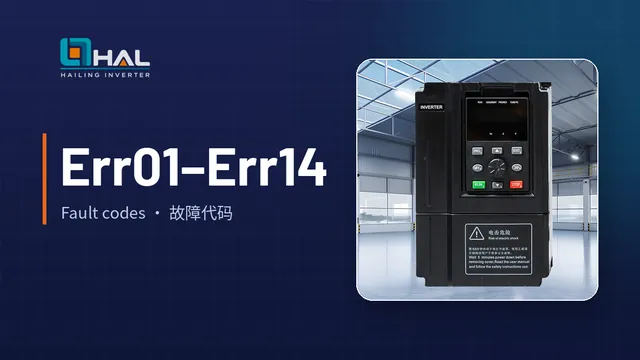
When a Hailing vector drive detects a fault it stops the output, operates the fault relay and shows a code on the keypad. The code tells you which protection tripped; the cause is usually found in the supply, the motor circuit, the load or the parameter settings. The table below summarises the common codes listed in the general vector-drive manual. Always confirm against the manual supplied with your drive model.
Overcurrent: Err01 to Err04
| Code | Name | Typical causes | What to do |
|---|---|---|---|
| Err01 | Inverter unit protection | Short circuit on the output; very long motor cable; module overheating; loose internal wiring | Remove the external fault, fit an output reactor or filter for long cables, check the air duct and fan |
| Err02 | Overcurrent during acceleration | Output earth fault or short; vector control without motor tuning; acceleration time too short; torque boost or V/F curve unsuitable; starting a spinning motor; drive undersized | Tune the motor, lengthen acceleration time, adjust torque boost or V/F curve, use speed-tracking start, select a larger drive |
| Err03 | Overcurrent during deceleration | Earth fault; no motor tuning; deceleration too short; sudden load; no braking unit or resistor | Tune the motor, lengthen deceleration time, fit a braking unit and resistor |
| Err04 | Overcurrent at constant speed | Earth fault; no motor tuning; low supply voltage; sudden load increase; drive undersized | Check insulation, tune the motor, remove the load step or select a larger drive |
Overvoltage and undervoltage: Err05 to Err09
| Code | Name | Typical causes | What to do |
|---|---|---|---|
| Err05 | Overvoltage during acceleration | Supply voltage too high; an external force drives the motor; acceleration time too short | Bring the supply into range, lengthen acceleration time, fit a braking unit and resistor |
| Err06 | Overvoltage during deceleration | High supply voltage; overhauling load; deceleration time too short; no braking resistor | Lengthen deceleration time, fit a braking unit and resistor |
| Err07 | Overvoltage at constant speed | High supply voltage; an external force drives the motor | Correct the supply, fit a braking resistor where the load regenerates |
| Err08 | Control power failure | Input voltage outside the specified range | Bring the supply voltage into range |
| Err09 | Undervoltage | Momentary power loss; supply outside range; abnormal DC bus; rectifier or buffer resistor fault | Reset after a momentary loss, correct the supply; contact technical support for internal faults |
Overload, phase loss and overheating: Err10 to Err14
| Code | Name | Typical causes | What to do |
|---|---|---|---|
| Err10 | Drive overload | Load too heavy or motor stalled; drive undersized | Reduce the load, check the motor and machine, select a larger drive |
| Err11 | Motor overload | Motor protection parameter P9-01 set incorrectly; heavy load or stalled motor | Set P9-01 correctly, check the machine, select a larger drive |
| Err12 | Input phase loss | Missing supply phase; driver board or surge protection board fault | Check the incoming lines and fuses |
| Err13 | Output phase loss | Faulty motor cable; unbalanced motor windings | Check the cable and the three motor windings |
| Err14 | Module overheating | High ambient temperature; blocked air duct; fan failure; carrier frequency set high | Improve ventilation, clean the duct, replace the fan, reduce carrier frequency P0-15 |
Other codes you may see
- Err17: the soft-start contactor has not engaged. Check the contactor cable, the contactor and its 24 V supply.
- Err23 at power-on: motor or output cable short-circuited to earth. Measure insulation with a megohmmeter.
- Err55: master-slave control fault. Read the fault code on the slave drive.
- Err60: braking resistor short-circuited or braking module fault.
Before you reset
- Record the code and the operating state (accelerating, decelerating or running).
- Isolate power and wait for the DC bus to discharge before touching terminals.
- Check supply voltage, motor insulation and cable connections.
- Correct the parameter or load condition that caused the trip, then reset.
- If the same code returns immediately after reset, do not keep restarting. Contact Hailing technical support with the code, the drive model and the motor nameplate.
VFD maintenance checklist: daily checks, periodic inspection and wear parts
A practical maintenance plan for frequency inverters: what to check every day, what to inspect during shutdowns, when to replace fans and capacitors, and how to store spare drives.
Read more
Ageing-prone components in a VFD: optocouplers, Zener diodes, capacitors and resistors
Why IGBT modules often fail because of the driver circuit, which small components age first, and what a thorough repair and service should include.
Read more
Preventive maintenance for VFDs: aiming for zero failures in production time
Why prevention matters more than repair, what "zero failure" really means for drives on lifts and critical production lines, and how to plan inspections outside production time.
Read more